
Download Browsec VPN – Free Secure Browsing for Windows, Mac, iOS & Android
Looking for a reliable, free VPN for secure browsing? Browsec VPN offers a lightweight, browser-based solution that encrypts your internet traffic and protects your privacy across devices. Whether you're using Chrome, Firefox, Opera, or Microsoft Edge on Windows, Mac, Android, or iOS, Browsec delivers fast, anonymous browsing with military-grade encryption. While the free version is fully functional, the premium upgrade unlocks more server locations and advanced features. This comprehensive review dives into its performance, security, privacy policy, and how it stacks up against top competitors like NordVPN and PureVPN.
Fast, Secure Browsing with Military-Grade Encryption
One of the standout features of Browsec VPN is its ability to deliver high-speed, secure browsing without slowing down your device. Unlike many heavy VPNs that consume significant system resources, Browsec is designed to be lightweight and efficient. This makes it ideal for users who want a seamless experience on both desktop and mobile devices. The core of its security lies in IPsec with AES-256 encryption, a standard used by governments and enterprises for protecting sensitive data. This ensures that all your online activity—whether you're logging into social media, shopping online, or streaming content—is encrypted and shielded from prying eyes.
What sets Browsec apart from other free VPNs is its focus on performance. Independent speed tests show that Browsec maintains approximately 95% of your original internet speed, even when connected to a remote server. This is especially impressive on mobile networks, where many free VPNs drastically reduce bandwidth. The app automatically selects the best server based on factors like location, latency, and server load—ensuring optimal performance without manual tweaking. Additionally, Browsec supports simultaneous connections on up to five devices, making it a practical choice for families or users with multiple gadgets.
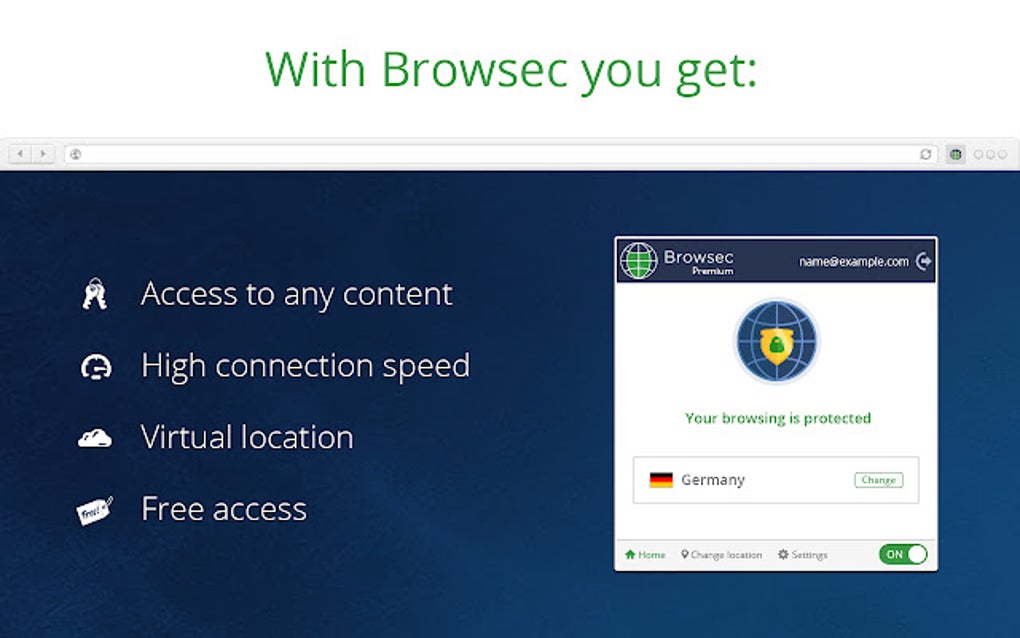
Another advantage is its integration with popular browsers like Opera, Chrome, Firefox, and Microsoft Edge. Users can install the extension in seconds and start browsing securely with just a toggle. The interface is clean and intuitive, requiring minimal setup. For those who value speed and simplicity over complex configurations, Browsec is a compelling option. However, it's important to note that while the encryption is strong, the service does collect some personal data, which raises privacy concerns—more on that later.
Installation, Usage, and Cross-Platform Compatibility
Installing Browsec VPN is straightforward across all major platforms. For Windows and Mac users, the process begins by visiting the official website and downloading the browser extension for Chrome, Firefox, or Opera. Once installed, simply click the Browsec icon in your browser toolbar, choose a server location, and toggle the connection on.
The entire process takes less than a minute. For Android and iOS users, the app is available on both the Google Play Store and Apple App Store. After downloading, open the app, grant necessary permissions, and connect with a single tap.
One of the biggest strengths of Browsec is its seamless integration with Opera browser. Opera’s built-in ad blocker and Turbo Mode work in harmony with Browsec, enhancing both speed and security. When combined, users enjoy faster page loads, reduced data usage, and improved privacy—perfect for mobile users on limited data plans. The app also features an automatic server selection mode that intelligently picks the fastest and most stable server based on real-time network conditions.
For those who prefer a desktop experience, Browsec offers a full desktop app for Windows and Mac. These apps provide more advanced settings, such as connection history, server status, and manual server selection. Despite being free, the software is stable and rarely crashes. Regular updates are released to fix bugs and improve performance, ensuring the app remains compatible with the latest OS versions. Whether you're browsing at home, on public Wi-Fi, or on the go, Browsec adapts to your needs with minimal friction.
Pros, Cons, and Real-World Performance
Before committing to a free VPN, it’s essential to weigh the pros and cons. Here’s a detailed breakdown:
Pros
- Free to use with no hidden costs or trial periods.
- Lightweight and fast performance with minimal impact on device speed.
- Supports 5 devices simultaneously, ideal for multi-device households.
- Strong encryption using IPsec with AES-256.
- Available on Windows, Mac, Android, iOS, Chrome, Firefox, Opera, and Edge.
- Automatic server selection for optimal speed and reliability.
Cons
- Privacy policy is vague—Browsec collects personal data without full transparency.
- No Kill Switch feature to prevent data leaks if the connection drops.
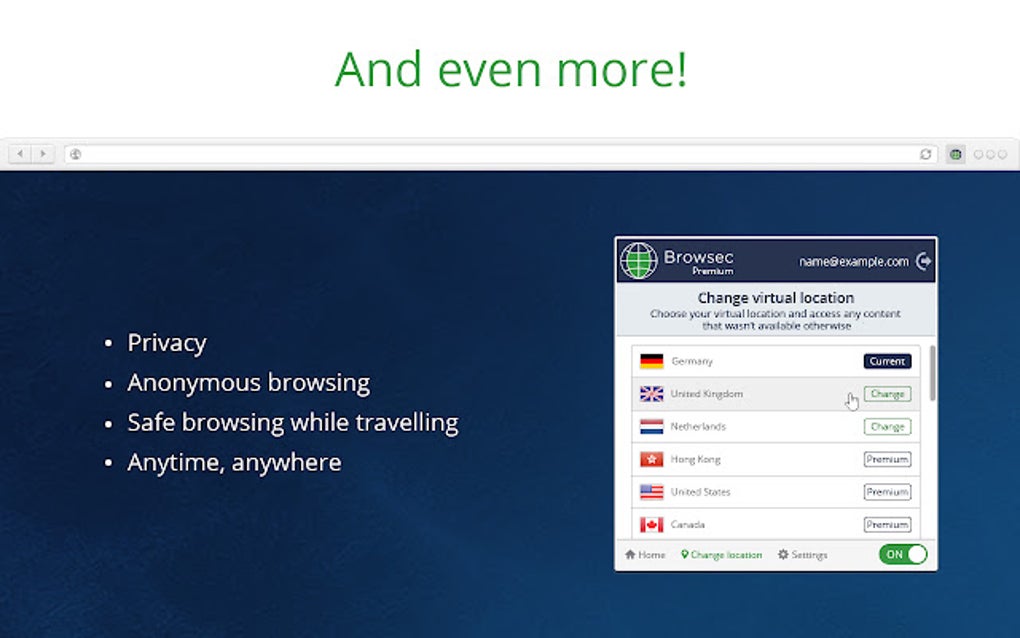
- Only 4 free servers (premium unlocks more locations).
- Minimal customer support—FAQ is limited, response times are slow.
- Based in Russia, raising jurisdictional privacy concerns.
While the free version is functional, users seeking advanced features like a Kill Switch, larger server networks, or stronger privacy guarantees should consider alternatives like NordVPN or PureVPN. That said, for casual users who prioritize speed and ease of use over maximum privacy, Browsec remains a solid choice.
FAQ: Everything You Need to Know About Browsec VPN
Q: Is Browsec VPN really free?
Yes, Browsec offers a fully functional free version with no time limits. The free tier includes access to 4 servers, basic encryption, and 5 simultaneous device connections.
Q: Can I use Browsec on my Android and iOS devices?
Absolutely. The Browsec app is available on both the Google Play Store and Apple App Store for Android and iOS users.
Q: Does Browsec log my browsing history?
Browsec claims it doesn’t log your connection data, bandwidth usage, or websites visited. However, it does collect personal information like email and payment details for premium users, which raises privacy concerns.
Q: How many devices can I connect with Browsec?
You can connect up to five devices at once, whether they’re smartphones, tablets, laptops, or desktops.
Q: Is Browsec safe to use on public Wi-Fi?
Yes, Browsec encrypts your traffic, making it much safer to use on unsecured networks like those in cafes or airports.
Final Verdict: Is Browsec Worth It?
While Browsec VPN delivers fast, secure browsing and is easy to use across platforms, its lack of transparency in data collection and limited customer support are significant drawbacks. For users who need a simple, free VPN for occasional browsing, it’s a solid option. However, if you’re serious about online privacy—especially for sensitive tasks like banking or remote work—consider more trustworthy alternatives like PureVPN or NordVPN. If you still want to try Browsec, download it from the official site and review its permissions carefully before installation.
Ready to protect your online privacy? Download Browsec VPN today and browse with confidence—just remember to stay informed about the risks.







